iPhone-ga Ice Fishing demosini oʻrnatish
Three taps in Safari · about 1 minute
Step by step
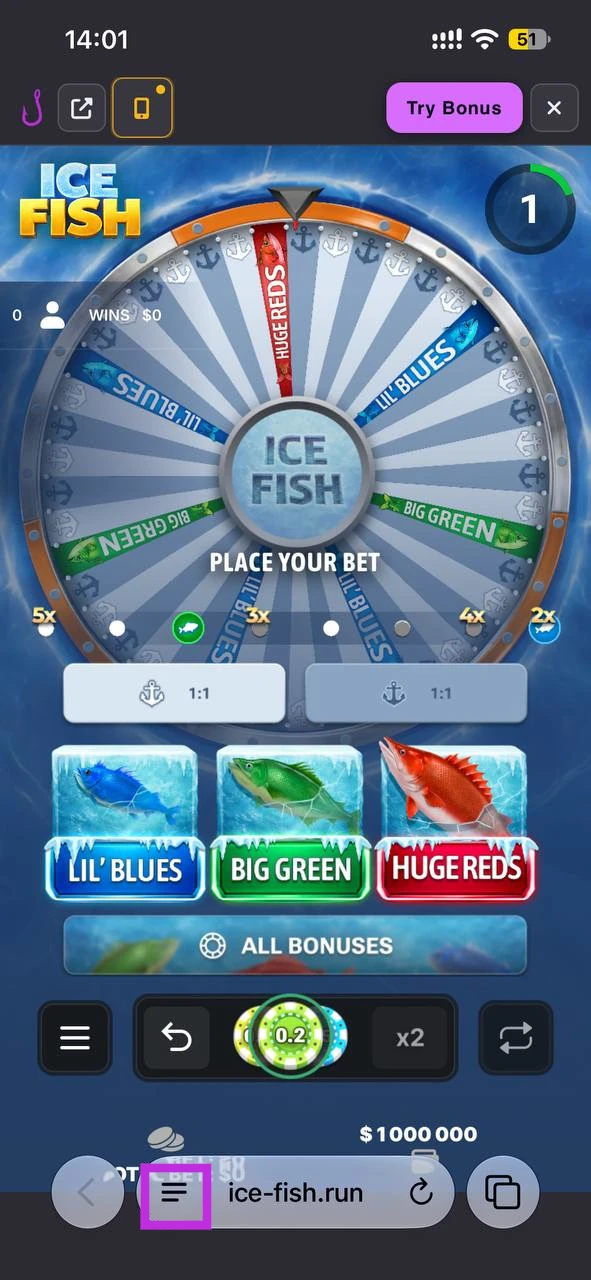
Step 1 — Menu button
Open the demo page (link at the end of this guide) and tap the menu button (three lines) at the bottom of the screen in Safari's toolbar.

Current iOS
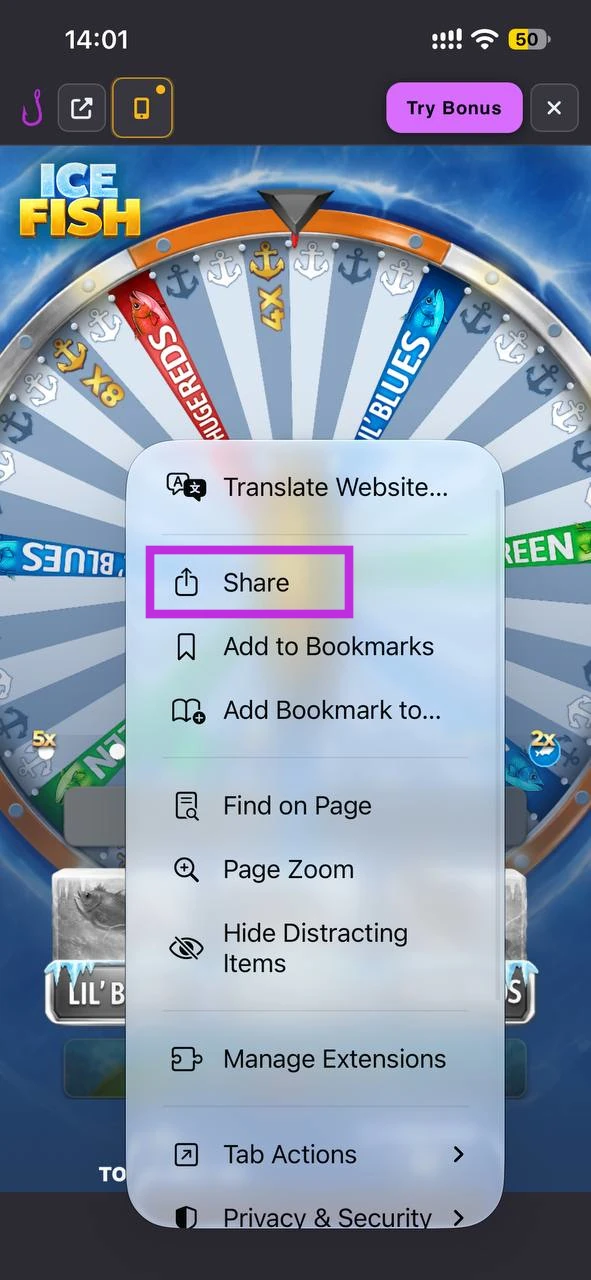
Step 2 — Share
Choose Share — in Safari this is usually the square with an up arrow.

Current iOS
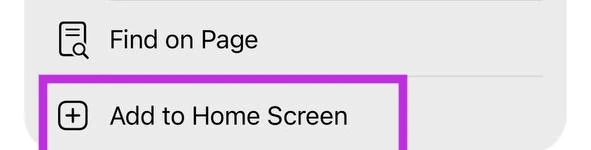
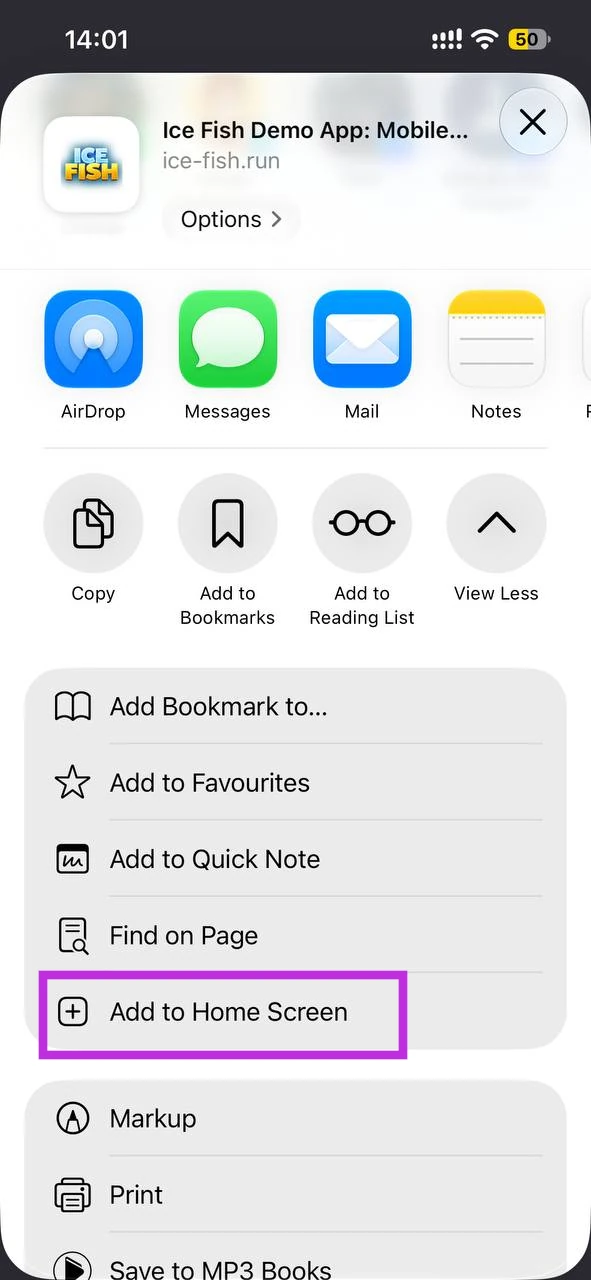
Step 3 — Add to Home Screen
Scroll the list of actions and choose Add to Home Screen. If it is not listed, open Edit Actions at the bottom and turn it on. In the next sheet, if iOS offers Open as Web App, turn it on, then tap Add.
Current iOS
Complete the 3-step tour — then copy the Safari link below
You're ready — open the demo in Safari
Paste the link in Safari's address bar, then repeat the 3 steps above on the demo page.
Open Safari and paste in the address bar
Why install?
Taxminan bir daqiqada Ice Fishing Bosh ekraningizda boʻladi — toʻliq ekran, bir bosish, sevimli ilovalaringizdagi kabi tanish oqim. Belgisi kutgan joyingizda turadi, alohida oynada ochiladi va birinchi ishga tushirishdan boshlab oʻz ilovangizdek tuyuladi. Apple bu rasmiy iPhone qisqa yoʻlini Safari-ga oʻrnatgan; quyidagi uch bosqich millionlab odamlar ishlatadigan yoʻl — natija oddiy oʻrnatilgan ilova bilan bir xil.